We have made some visual improvements to the case transition screens within Case Manager with a more streamlined interface.
What’s Changed?
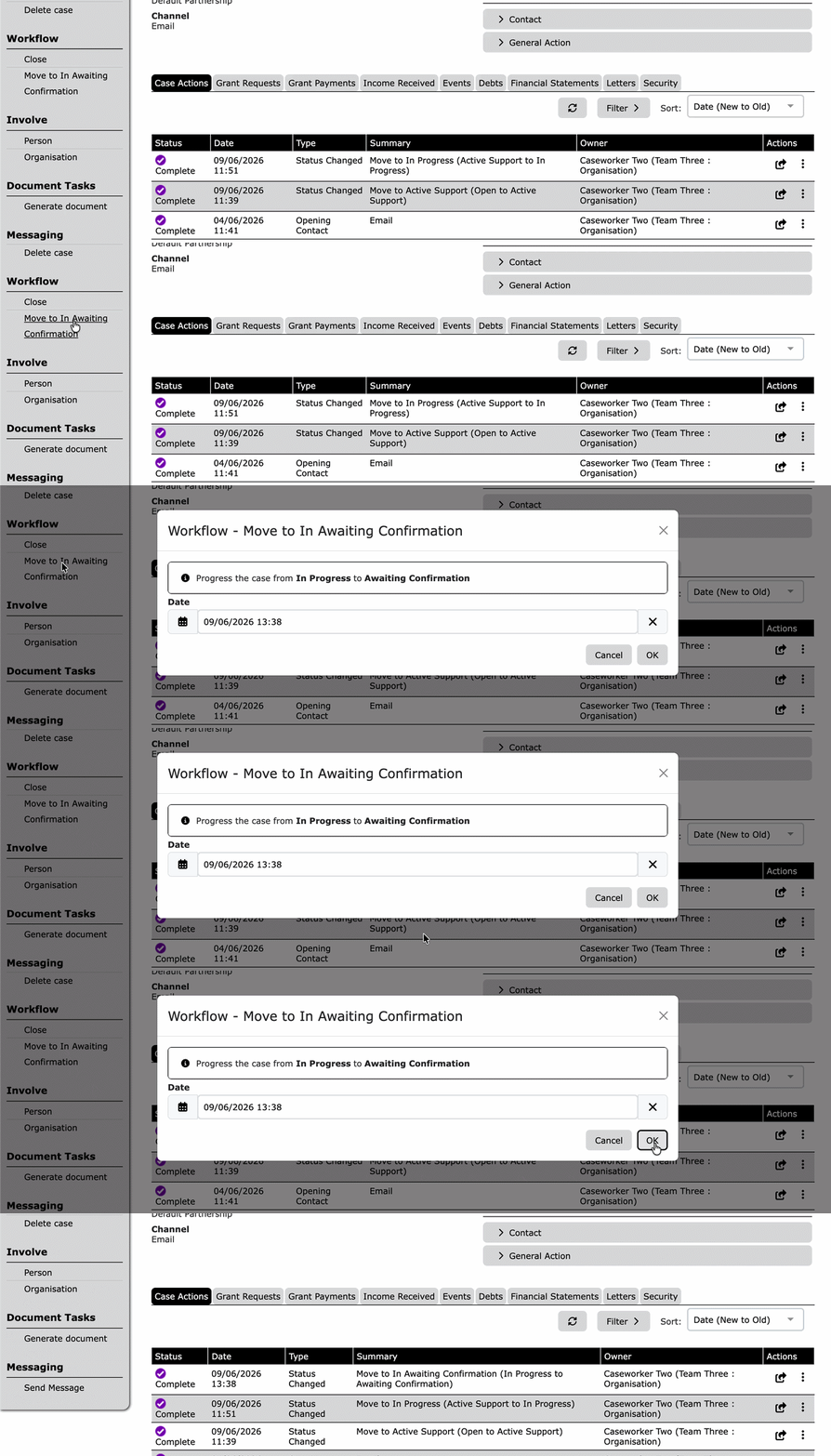
Now transitioning a case or case action no longer requires a new screen to be loaded. Instead a small pop-out window will now appear on the page with the details of the where the case is being transitioned to, as well as the date of the transition.
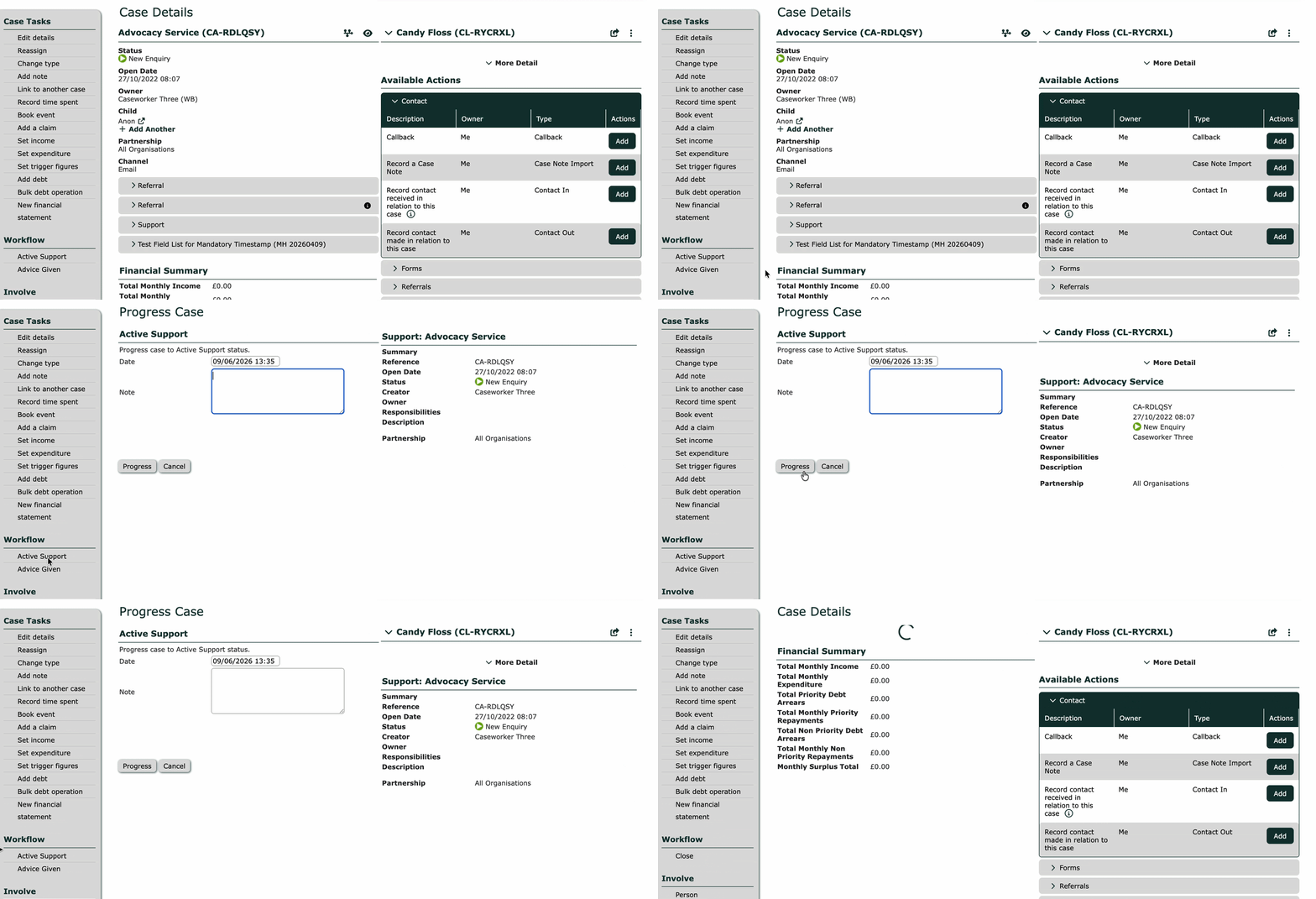
Old Interface:
- Redirected you to a new page.
- Used the entire page.
- Multiple screen process.
New Interface:
- Keeps you on your current page via a pop-out window.
- Zero page refreshes.
- Preview details directly inside the window.
💡 If you have custom fields on transitions, these will be unaffected by the new UI and will function as expected.
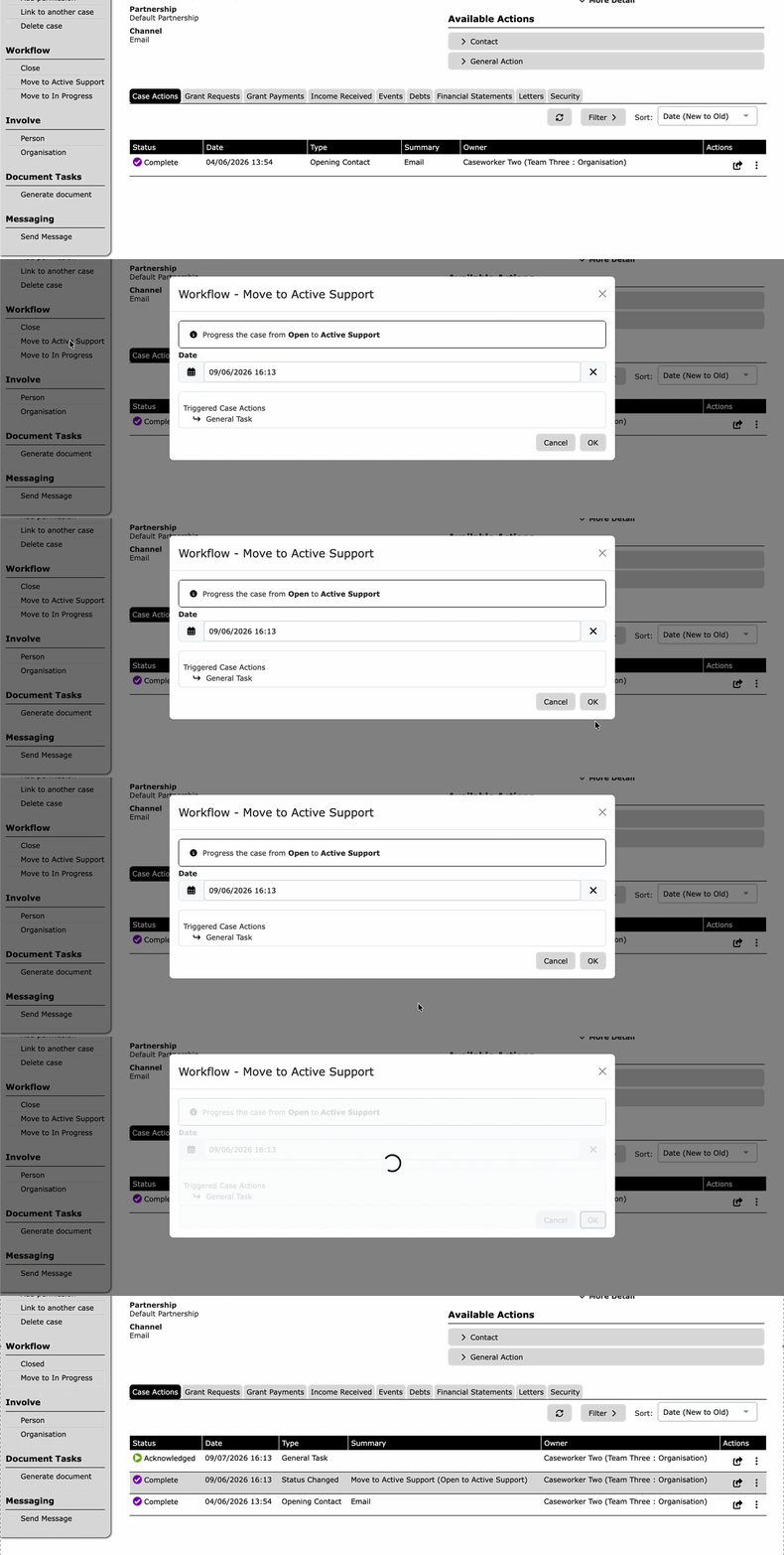
Automatic Case Actions
If a transition has an automatic action tied to it. The UI will display this in the pop-out window at the bottom.
Need Help?
If you encounter any issues or have questions about this updated UI, please reach out to our support team via the Help Desk over at support@iizuk.co.uk.
Ricky Astle
Comments