We’re always working to keep Case Manager up to date with the latest features to make your daily tasks easier and our software more user-friendly. In our latest update to Case Manager we are introducing improvements to our User Interface across the system to make it clearer, fresher and more intuitive to use.
When you first login after the update, you'll notice some visual improvements. Rest assured that all your cases and data remain completely intact and secure. We've just improved the look to the following:
New Menu Profile
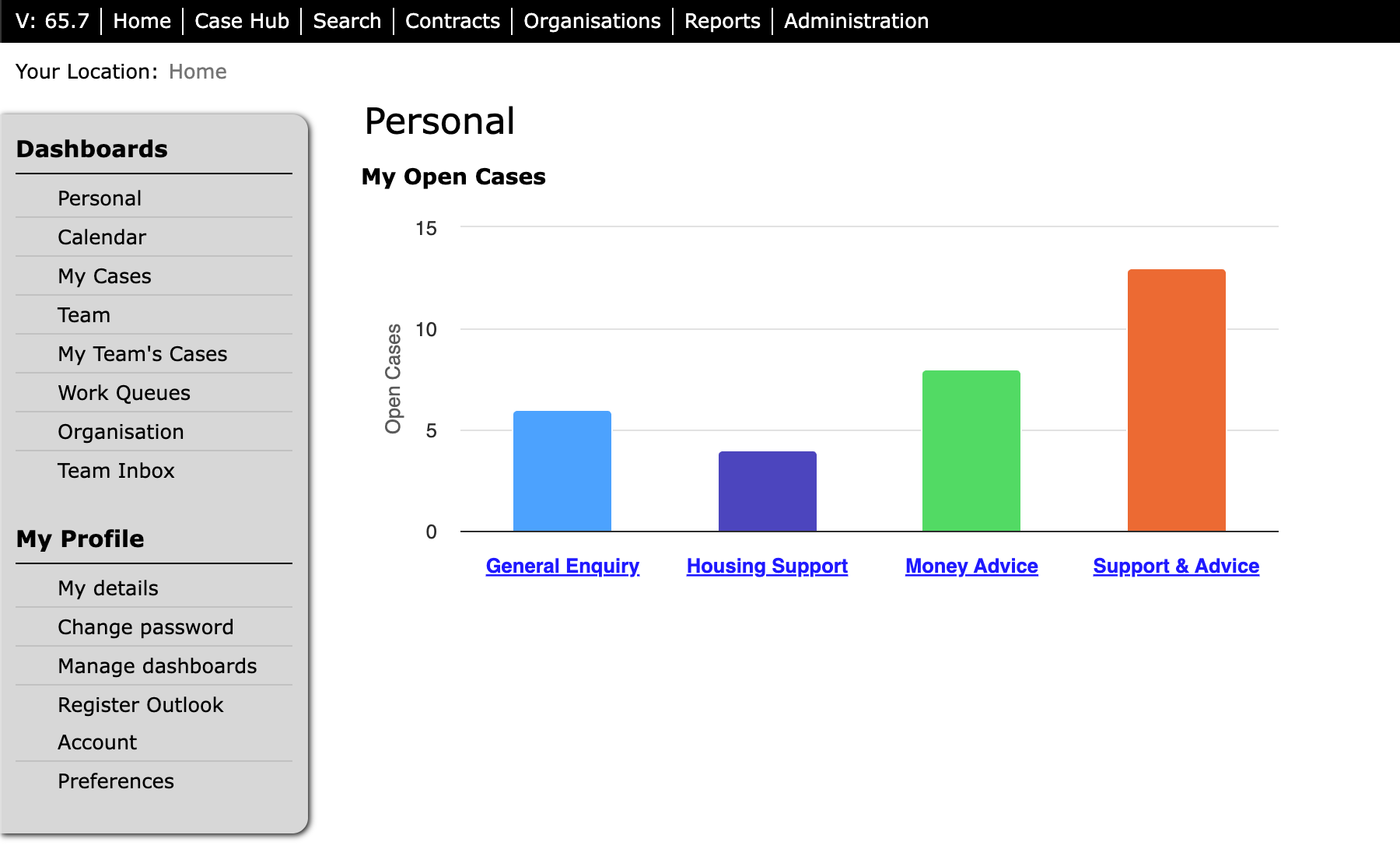
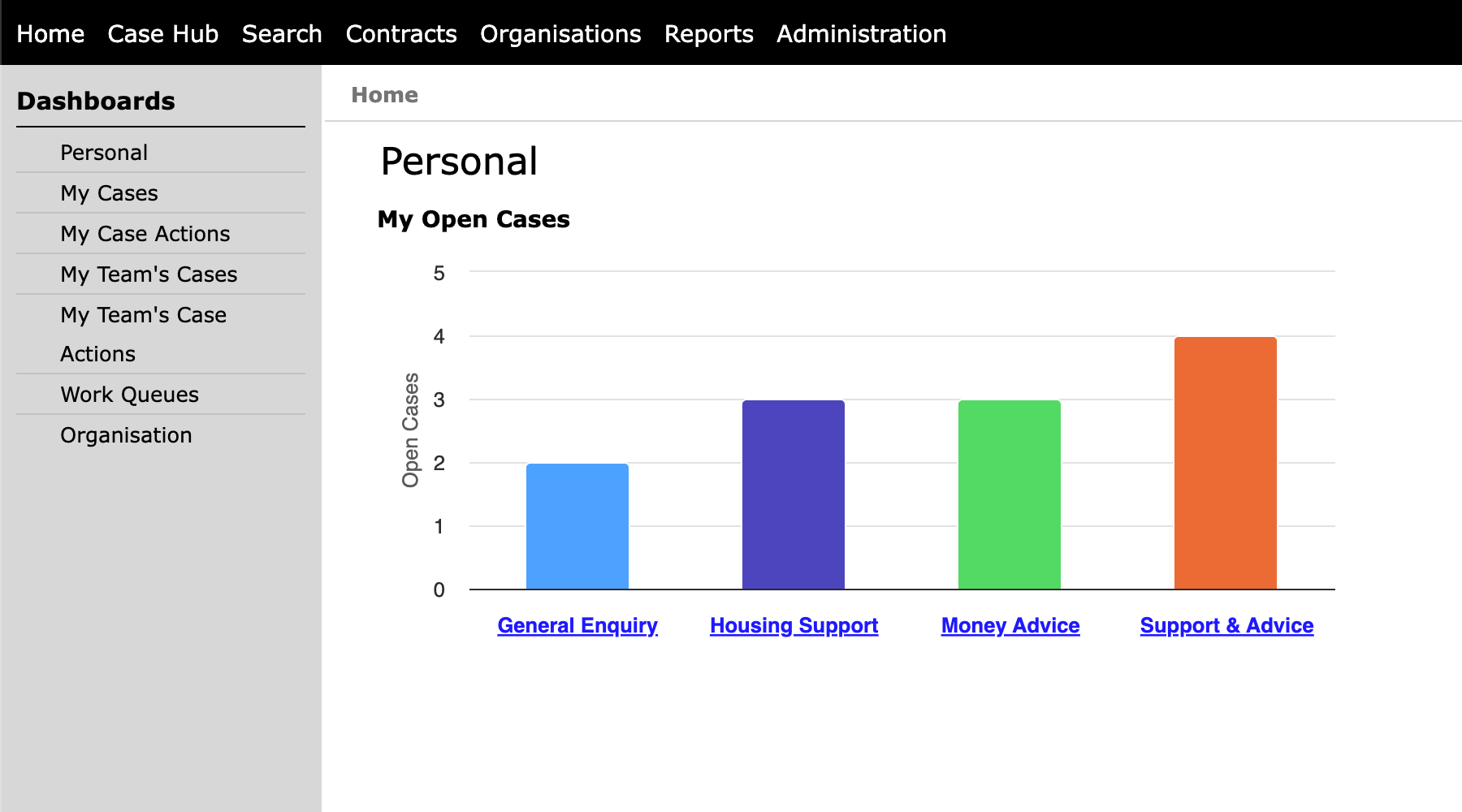
The first improvements you will notice are the menus on your home profile.
Old Home Page:
New Home Page:
New Status Improvements
The second thing you will notice are a few updates to the way we display statuses.
Old:

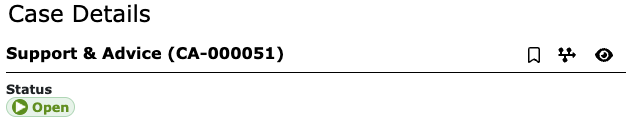
Your case actions tab will also display these new status changes:

If you would like to understand more about case and case action priorities and what each of the colour represents, you can find our knowledge base article here.
New System Icons
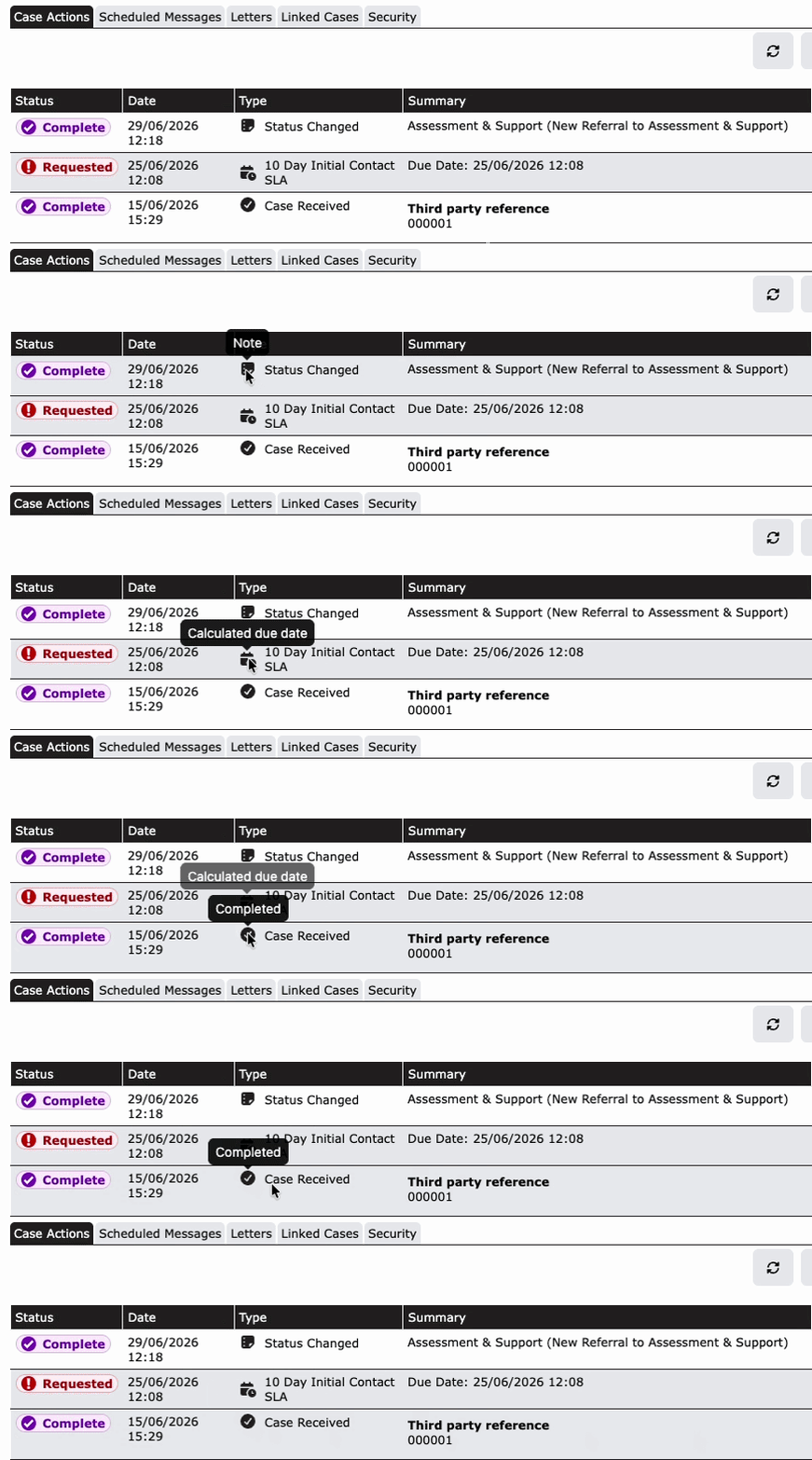
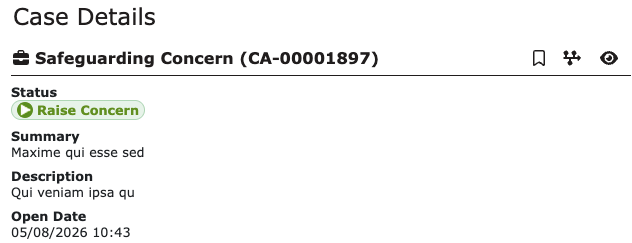
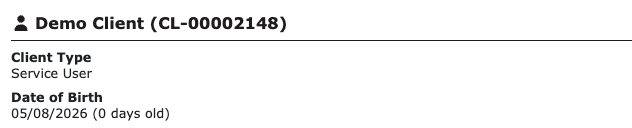
Throughout the system Case Manager will now display icons for Clients, Cases and Cases Actions.
The Case Actions table will display new Case Action icons based on the type of action on the case. Here are some examples of a few of the icons and descriptions you may come across:
Similar icons can be found on the cases and clients.
Case Details:
Client Details:
New User Profile
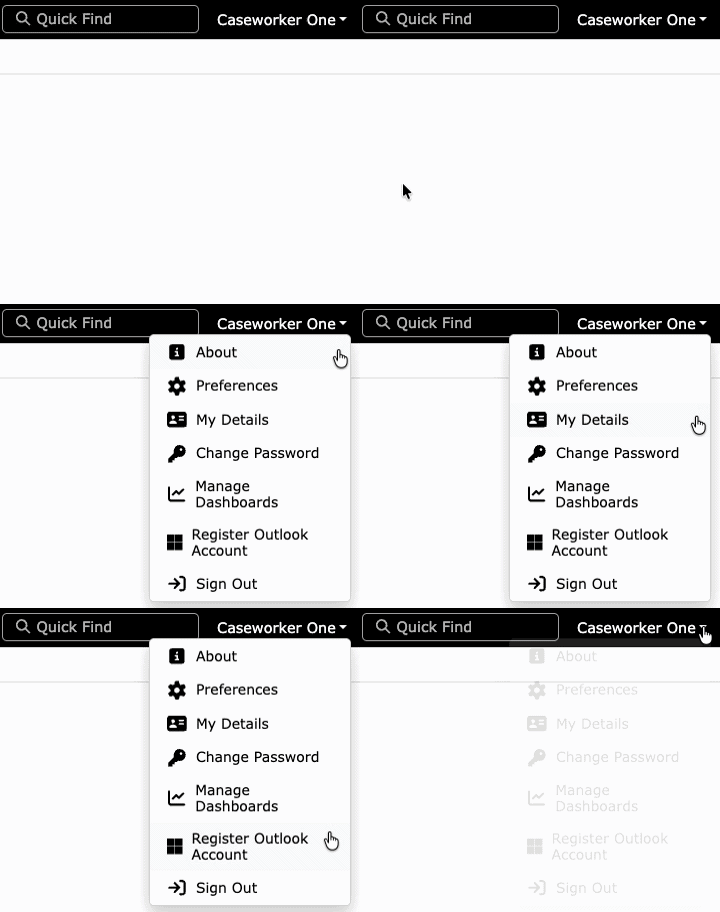
We've also improved navigation in Case Manager. The My Profile menu, previously limited to the home screen and the case hub screen, is now accessible throughout the system via a dropdown menu.
Simply click the dropdown menu next to your name in the top right corner to access these functions.
Quick Find
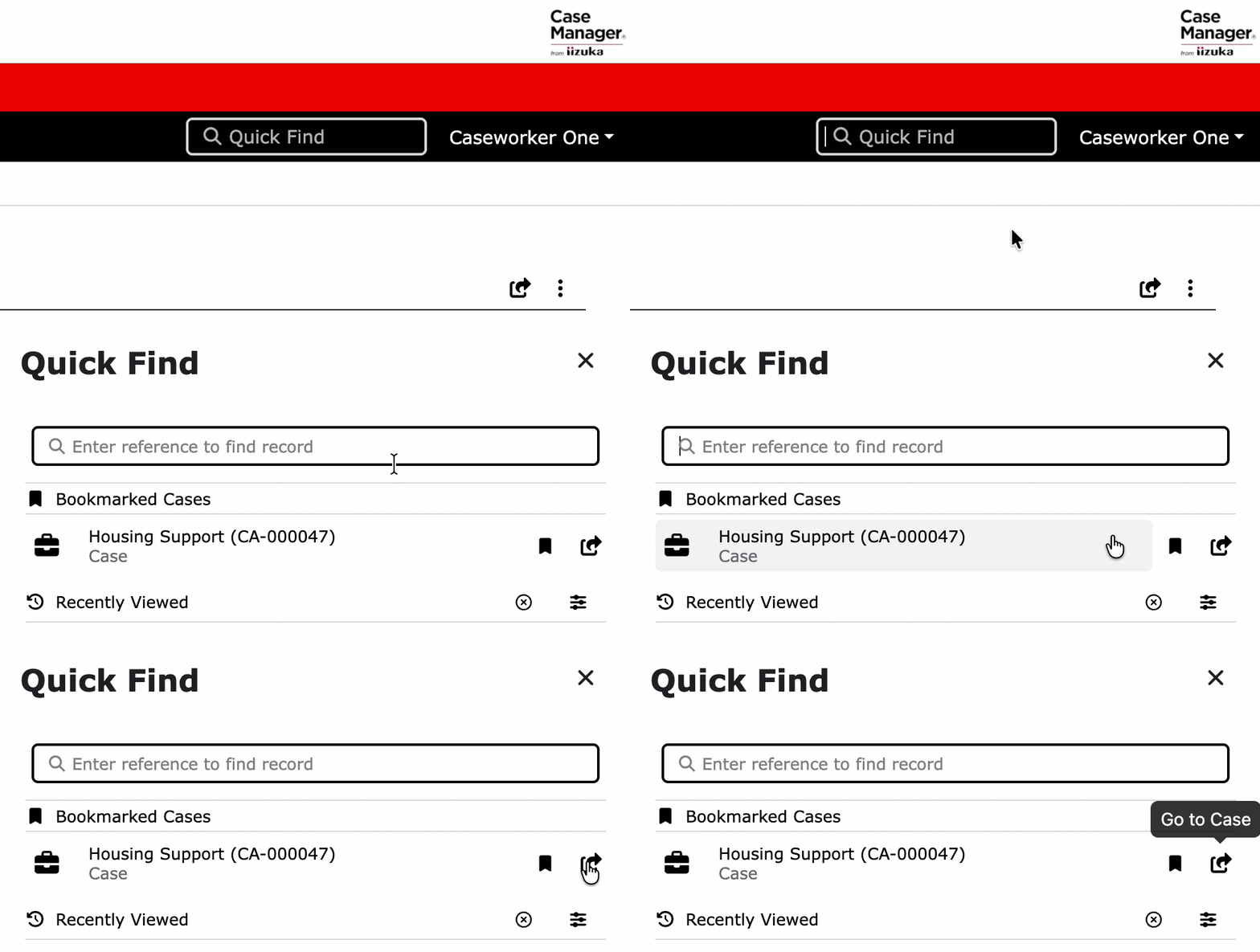
The standout addition is the new Quick Find search bar and menu which can be found in the top right corner.
As you continue to work with your cases, Case Manager will remember the last 30 records. This includes Clients, Cases & Case Actions. So, once you open a case or search to find a client record. Case Manager will remember and place it in the Quick Find menu so that it’s always easy to access recent casework.
The Quick Find menu will also allow you to filter, Clients, Cases, Case Actions & Organisations.
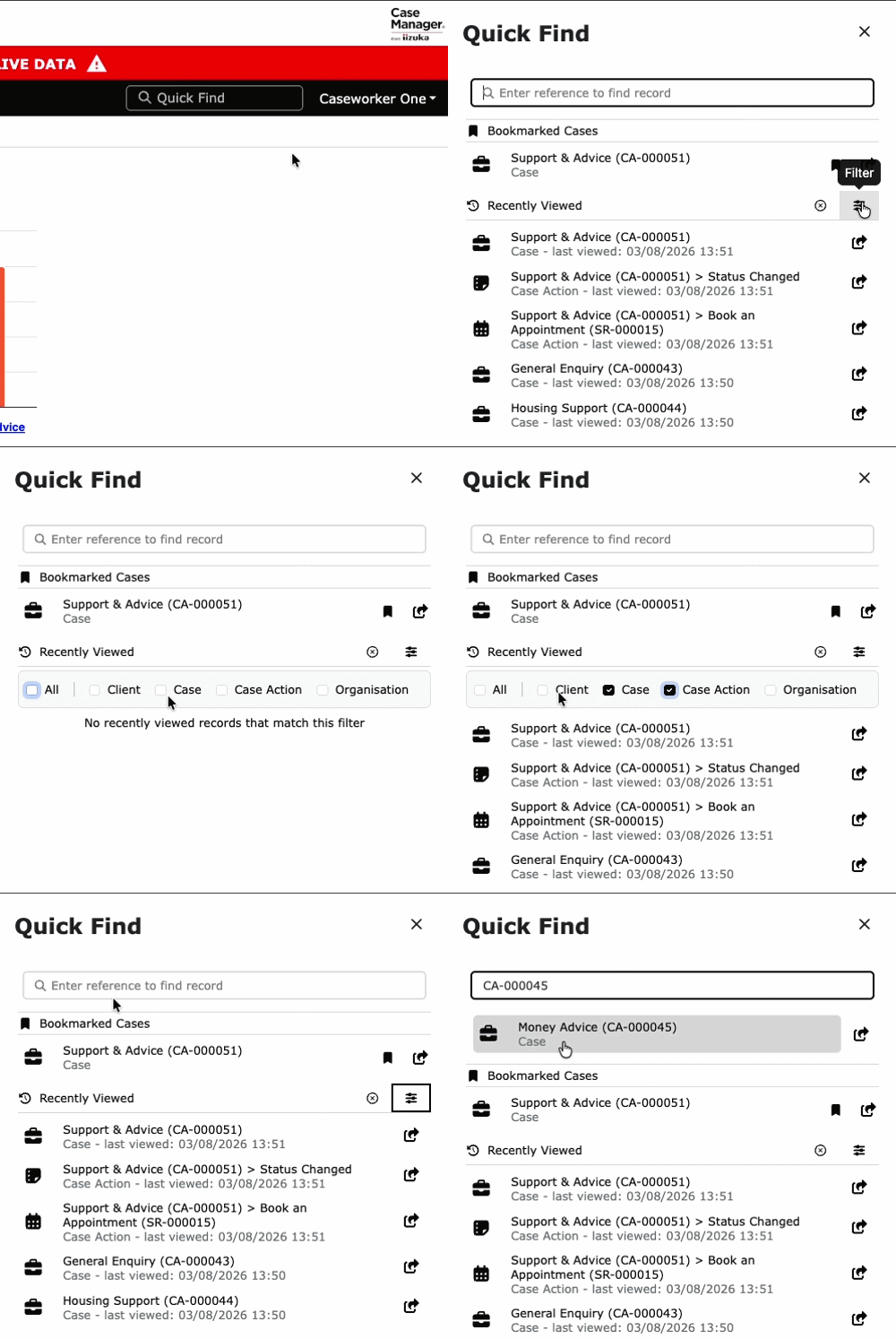
You can click the circular 'x' button to remove all your recent case history from the menu.
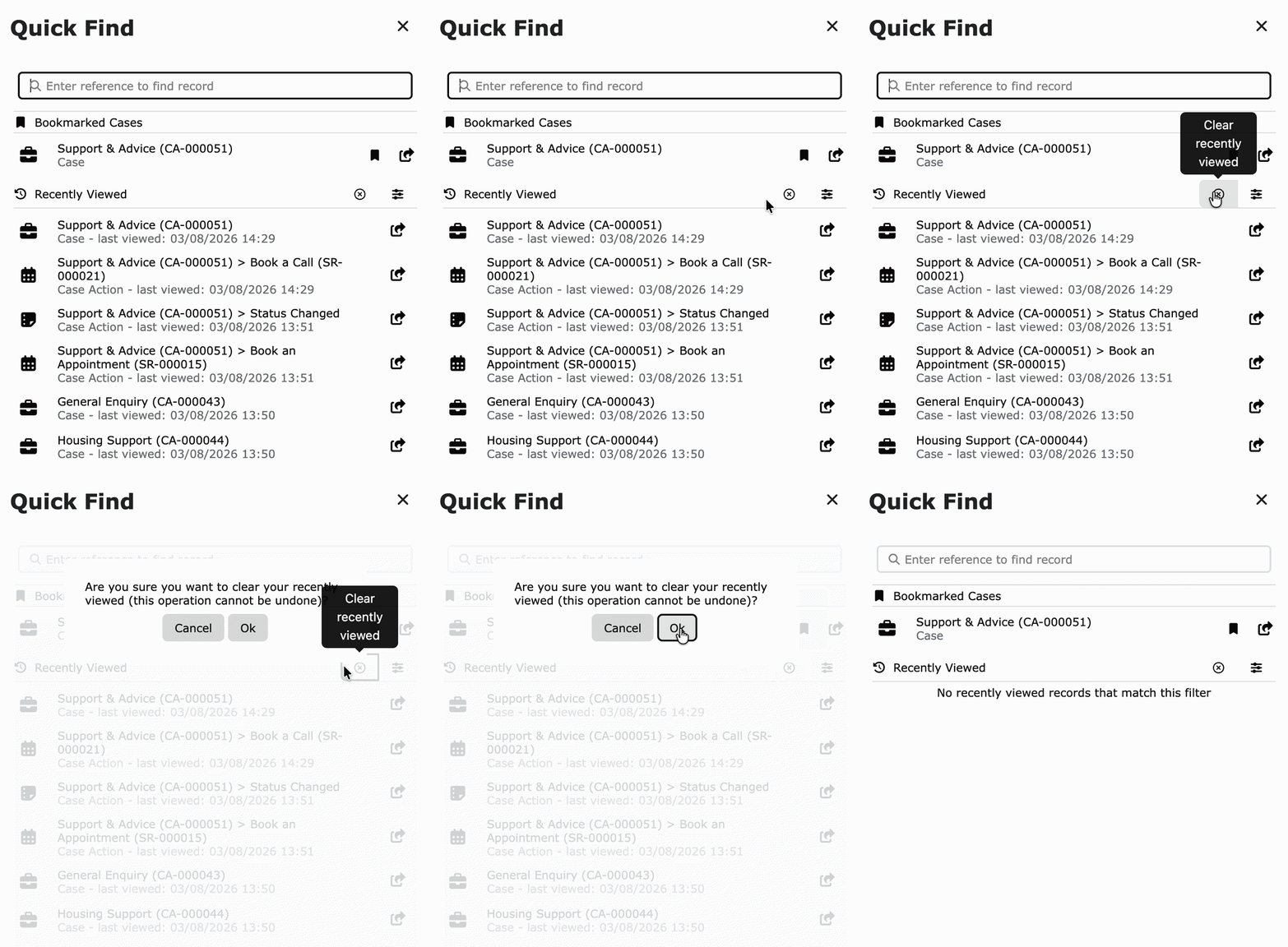
Additionally, the Quick Find menu now lets caseworkers bookmark any specific cases, which can be referred back to from the quick find menu at any point.
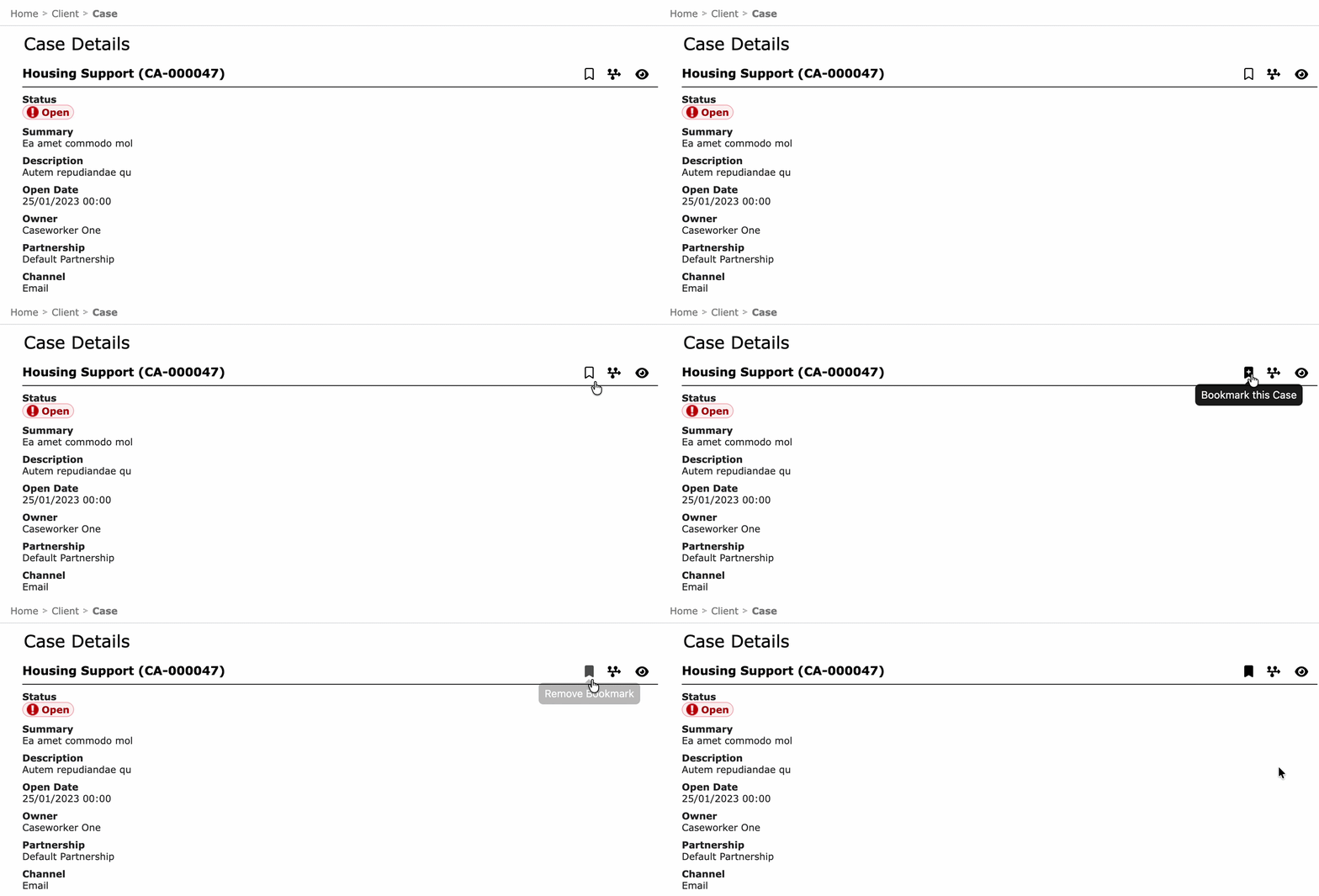
On the case details screen, simply check the bookmark icon next to the timeline icon and the case will now be saved within the quick find menu.
A green notification will then appear at the top right of the screen confirming you've bookmarked your case.
Now, when you navigate to your quick find menu. The bookmarked case will appear at the top under the Bookmarked cases section.

We believe these improvements will significantly improve your Case Manager experience. For any questions or concerns please reach out to us at support@iizuka.co.uk.
Ricky Astle
Comments